

Old photo repair
Fix scratches, dust and faded color
AI Enhance
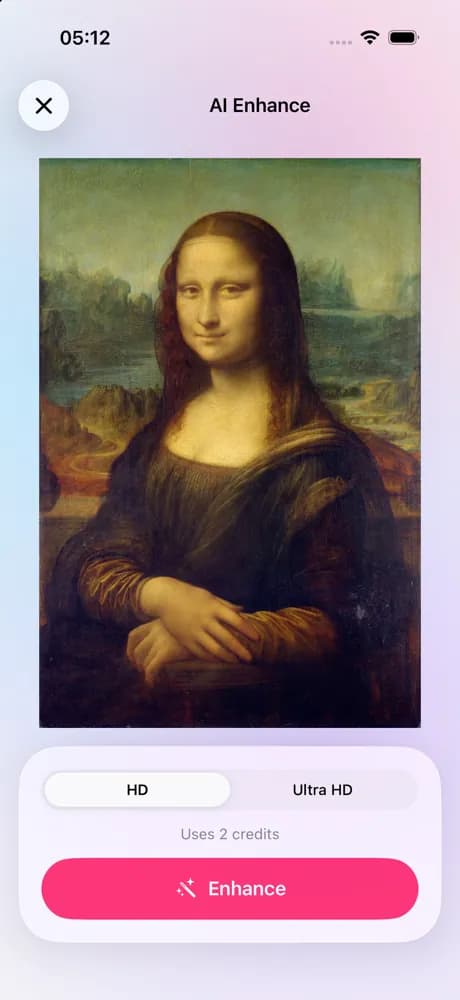
AI Enhance sharpens and upscales photos that are soft, small or noisy: an old phone picture, a compressed image from a chat, a crop that went too far. Pick HD or Ultra HD and get a sharper copy back on your phone.
Where to find it: Android: lamdep on Google PlayiPhone: Open brAIn on the App Store
How it works
Find it under AI tools and pick the photo you want to sharpen.
HD for a cleaner, sharper photo; Ultra HD for the strongest result. Both use 2 credits.
Slide between before and after, then save the result to your photos or keep editing it.
On iPhone (Open brAIn): AI tools › AI Enhance
What you get
Edges, hair and text come out clearer, and the photo gains resolution, so it holds up on a big screen or in print.
The photo goes to lamdep's own servers for the job and the result comes back to your phone. Nothing is posted anywhere.
You can close the screen; lamdep tells you when the photo is ready, and it waits in your AI history.
Each photo costs 2 credits. If a job fails, the credits go straight back to your wallet.
Guide
Start from the best copy you have. If a photo was sent through a chat app, the original on the sender's phone usually has more detail than the compressed copy you received, and AI Enhance has more to work with.
Enhance before you add text, stickers or a frame, and crop afterwards: the model works best on the whole photo. For a damaged print, run Old photo repair first, then AI Enhance for extra resolution.
Questions
2 credits per photo, for HD and Ultra HD alike. Signed-in users get free credits every week, lamdep Pro adds 60 a month, and packs are available in the app.
Photos that are soft, small or noisy but still show the scene: old phone photos, compressed images from chats, cropped faces. A photo that is completely blurred out has too little left to recover.
It is made to sharpen what is there, not to retouch. Very small faces can come out slightly different, so compare before and after and keep the version you prefer.
Yes. Results are kept in your AI history so you can save them again; delete them there at any time, and they are erased for good after 30 days.
Yes. AI tools need you to sign in so credits can be kept in your wallet. Normal editing does not.
Fix scratches, dust and faded color
Extend a photo beyond its edges
Smooth skin, clear blemishes, even tone
Free to download for iPhone and Android. Pro tools and AI credits are optional.