

Remove background
Clean cutouts, new colors or blur
Blur background
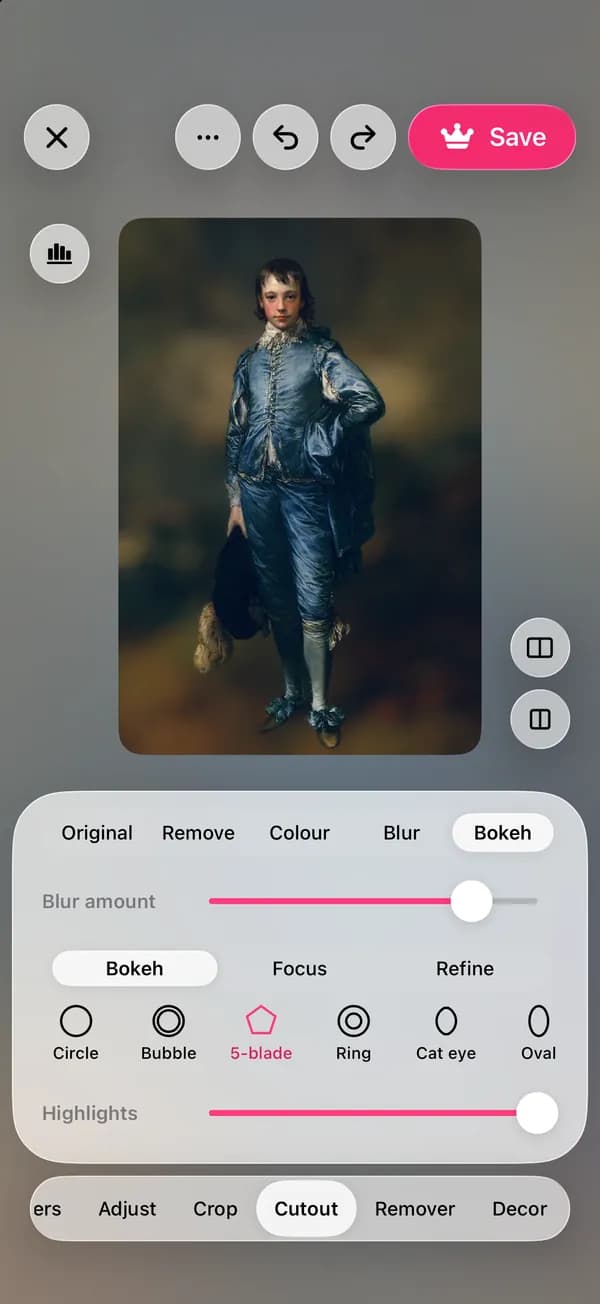
lamdep finds the subject and softens everything behind it, like a lens with a wide aperture. Use a quick blur, or Bokeh for round lights, a chosen focus point and the depth your phone recorded.
Where to find it: Android: lamdep on Google PlayiPhone: Open brAIn on the App Store
How it works
In the editor, open Cutout. lamdep finds the subject on your phone.
Blur softens the background evenly; Bokeh imitates a real lens, with shapes, highlights and a focus point.
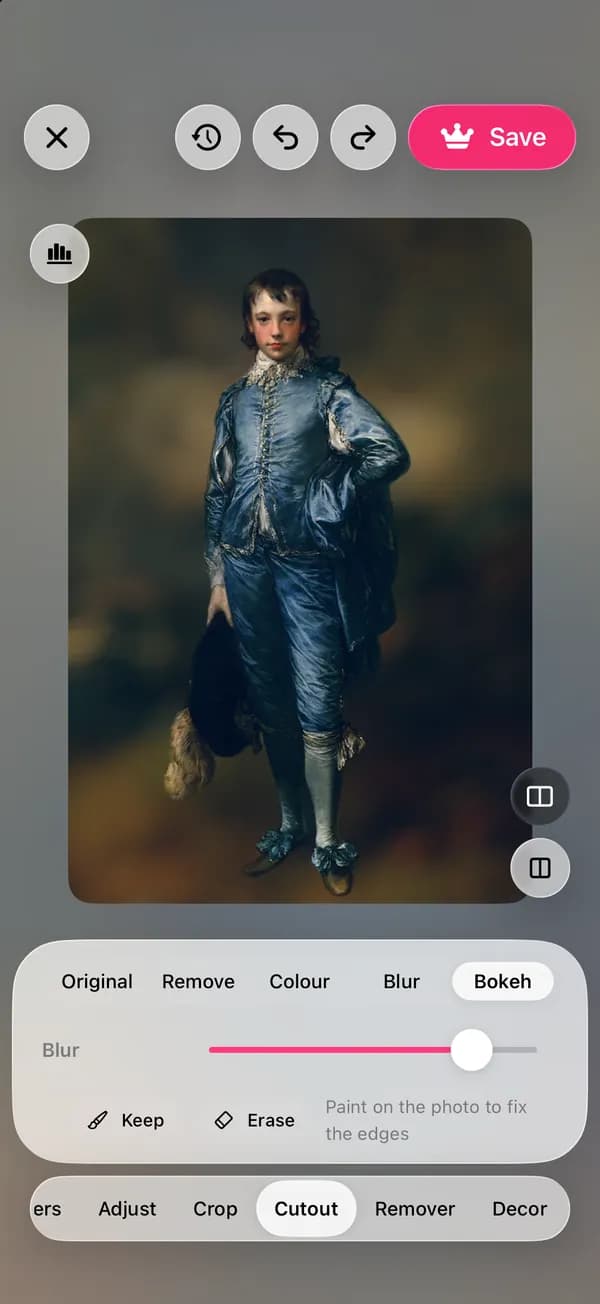
Paint to keep areas sharp or to blur them, compare, then save.
On iPhone (Open brAIn): AI tools › Remove background › Bokeh
What you get
Circle, bubble, 5-blade, ring, cat eye and oval shapes, with a highlights slider that makes lights bloom.
Keep the subject sharp, or tap any point in the photo to focus there, and set how far the sharp zone reaches.
Photos taken in a phone's portrait mode carry depth data; lamdep uses it for a more natural falloff.
A Focus brush and a Blur brush fix hair, hands or anything the automatic mask missed.
Guide
Real lenses blur things more the further they are from the focus point, so a subject standing well in front of the background gives the most convincing result. Keep the blur moderate for photos taken up close, and stronger for portraits with space behind.
Bright points such as street lights, fairy lights or sun through leaves turn into bokeh shapes; turn up Highlights to make them glow. Zoom in on hair and glasses before saving and touch up the edge with the brush.
Questions
Yes. Open any photo from your library in the editor and use Cutout › Blur or Bokeh.
Blur background is a Pro tool. You can try it on any photo, and free users get a few Pro saves each week.
Yes. It works on any clear subject, such as a pet, a product or a plate of food, and Bokeh can focus on a point you tap.
No. The subject is found and the blur is drawn on your phone.
Yes. In the same Cutout tool you can remove the background, or put a plain color behind the subject.
Clean cutouts, new colors or blur
Studio light on any portrait
Looks, curves, color grading and masks
Free to download for iPhone and Android. Pro tools and AI credits are optional.