

Blur background
Portrait-mode blur and bokeh for any photo
Remove background
lamdep separates the subject from the background on your phone. Fix edges with a brush, then keep it transparent, add a color or blur what's behind.
Where to find it: Android: lamdep on Google PlayiPhone: Open brAIn on the App Store
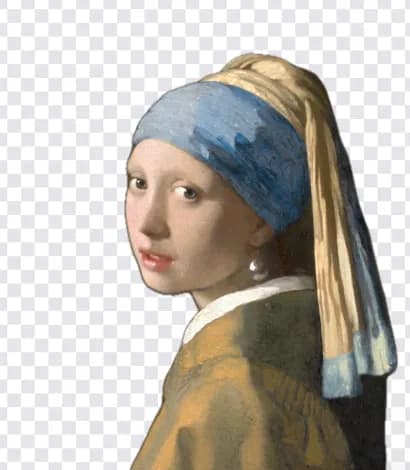

How it works
The subject is separated from the background automatically.
Paint with Keep or Erase to fix hair and fine details.
Transparent, a solid color or a soft blur, then save.
On iPhone (Open brAIn): AI tools › Remove background
Why it looks right
The cutout is made on the device; no upload needed.
Photos with portrait depth give even cleaner edges.
Save as PNG with transparency for stickers, shops or designs.
The video editor can remove the background from clips too.
Questions
Yes. Cutouts are saved as PNG so transparency is kept.
It is tuned for people and works on many clear subjects. Use the brush to fix anything it misses.
Remove background is part of lamdep Pro, with a few free saves to try it.
No. The cutout runs on your phone.
Portrait-mode blur and bokeh for any photo
Erase people, text and clutter, with optional AI fill
Passport and ID photos at the right size
Free to download for iPhone and Android. Pro tools and AI credits are optional.