

Color & filters
Looks, curves, color grading and masks
AI assistant
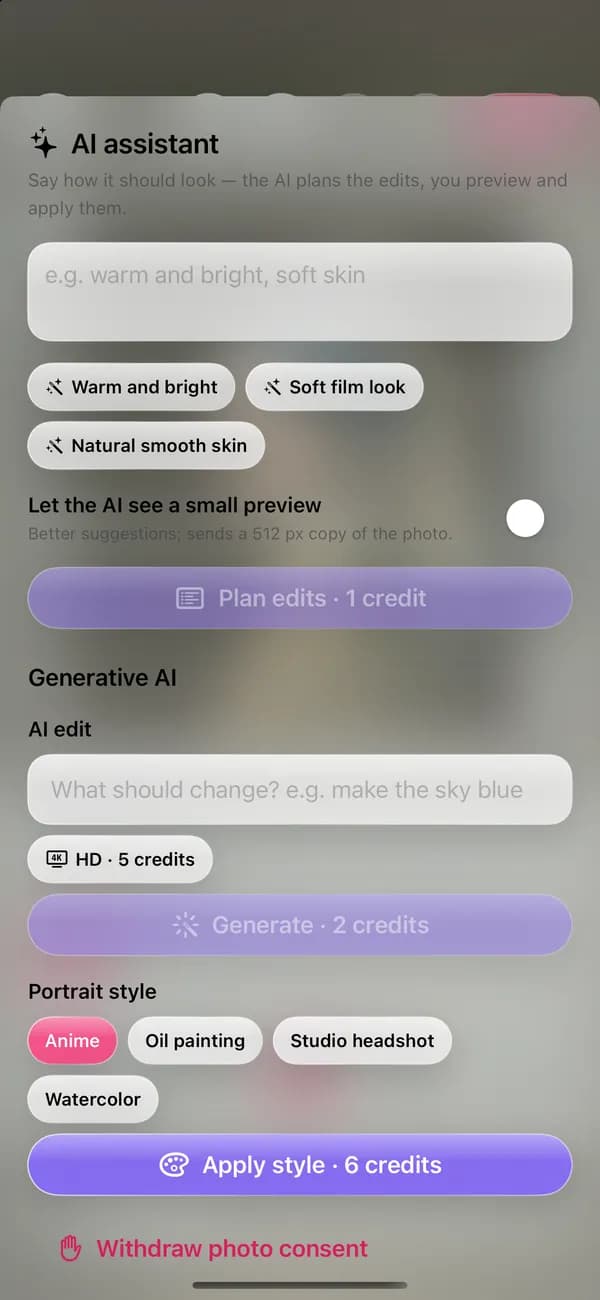
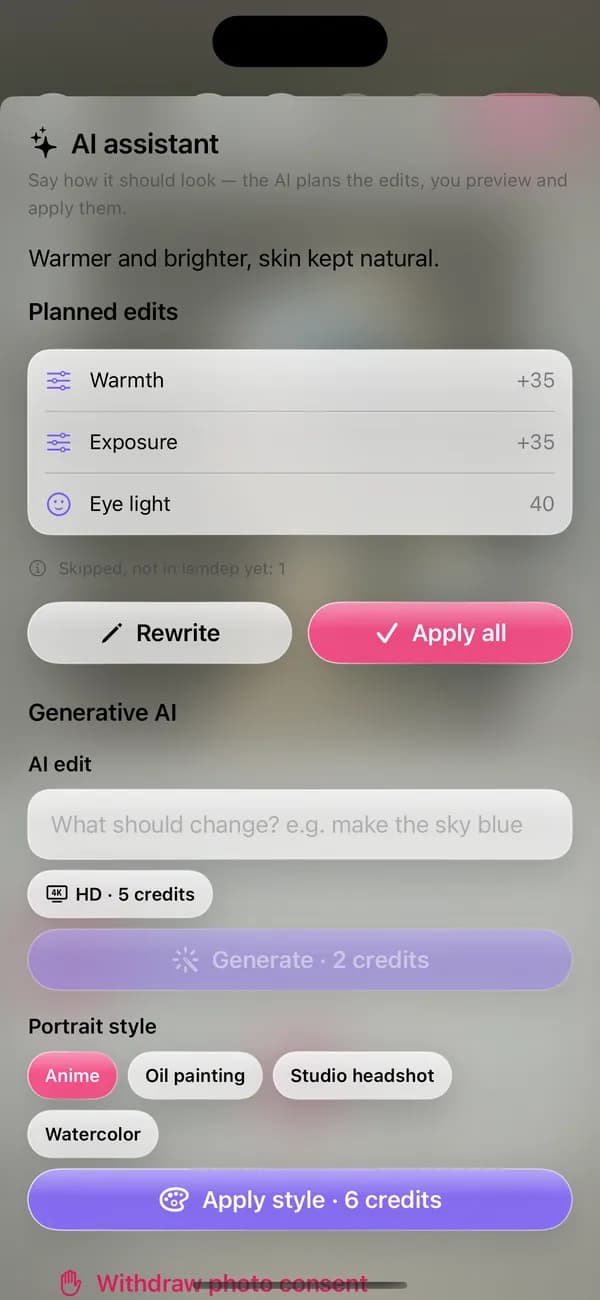
The assistant turns a sentence into a plan of lamdep edits: warmth, exposure, smoothing and more. You see every step before applying it, and one undo takes it all back.
Where to find it: Android: lamdep on Google PlayiPhone: Open brAIn on the App Store
How it works
Type the look you want, or tap a suggestion.
See each planned edit and its strength before anything changes.
Apply all in one step, or change your words and plan again.
Why it looks right
The plan uses normal lamdep tools, so every change stays adjustable.
AI edit by prompt, portrait styles and braces removal, each with a clear credit price.
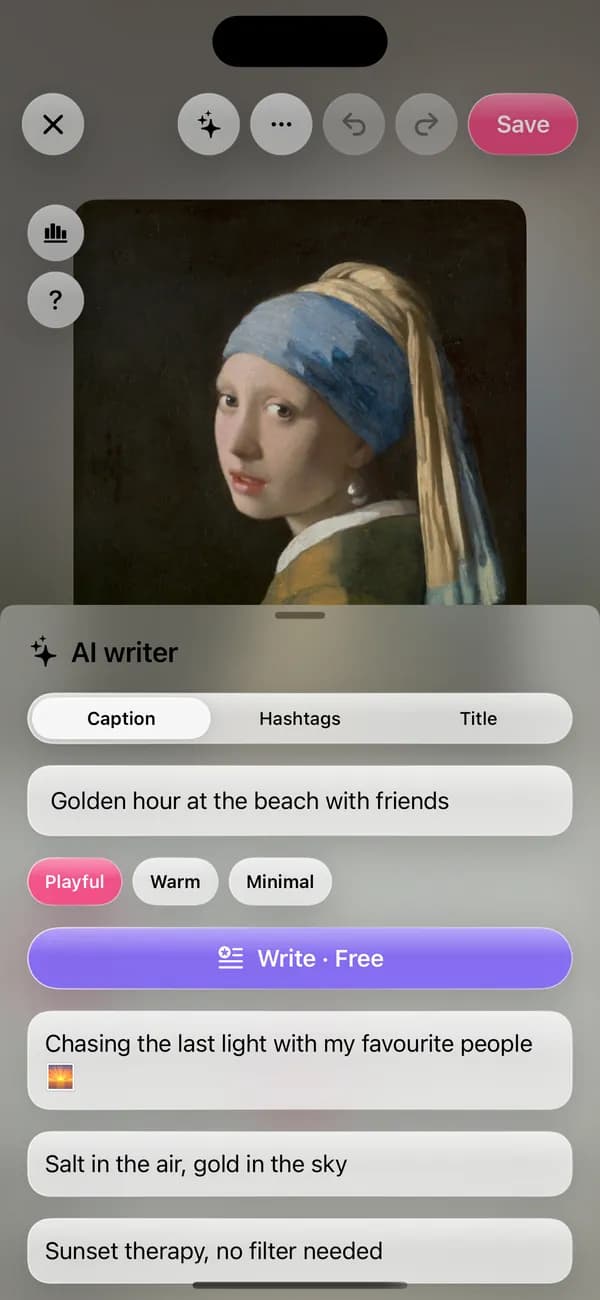
The AI writer suggests captions, hashtags and titles in your tone.
Photos are only sent after you agree, and you can delete your AI history.
Questions
Free users spend 1 credit per plan. It is included with lamdep Pro, within a daily limit.
No. It proposes a list of edits; nothing changes until you apply them, and one undo reverses all of it.
Only if you turn on the small preview, which sends a reduced copy to improve suggestions.
AI fill, AI expand, AI edit by prompt, portrait styles, braces removal and the AI writer. Each shows its credit price first.
Looks, curves, color grading and masks
Erase people, text and clutter, with optional AI fill
Add text, stickers, doodles and frames
Free to download for iPhone and Android. Pro tools and AI credits are optional.