

Skin retouch
Smooth skin, clear blemishes, even tone
Makeup
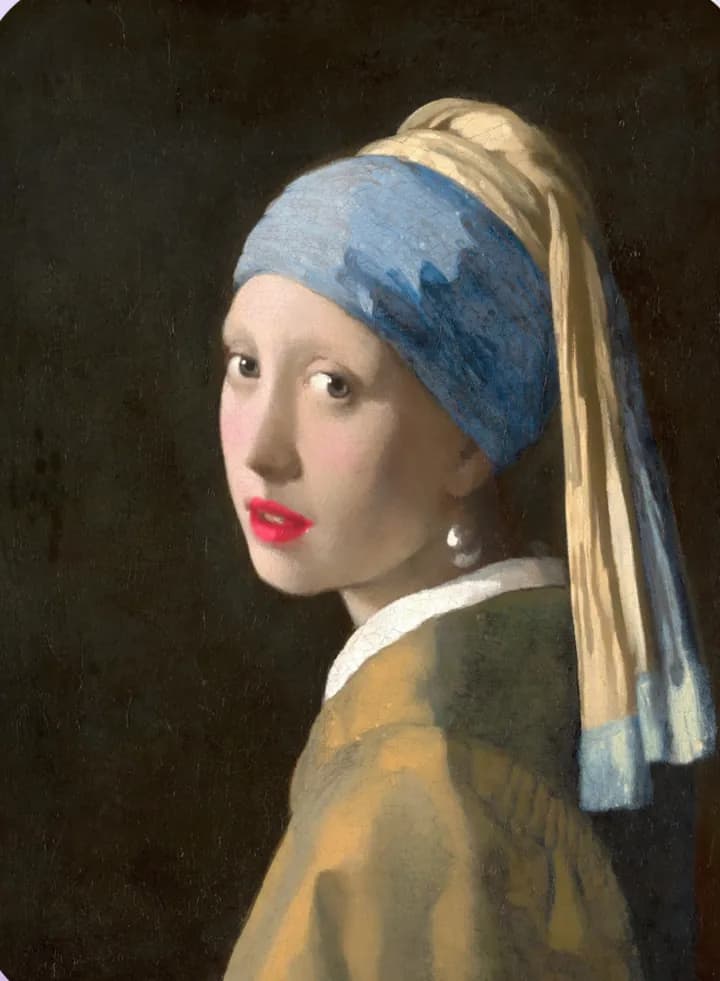
Makeup in lamdep is drawn onto the face shape, so lips, cheeks and eyes stay put when you turn your head. Use it on photos or live in the camera.
Where to find it: Android: lamdep on Google PlayiPhone: Open brAIn on the App Store

How it works
Open Makeup in the editor, or the Makeup tab in the beauty camera.
Tap lipstick, blush, brows, liner or lashes and choose a color.
Slide intensity until it looks right, then save the photo or your own look.
On iPhone (Open brAIn): Portrait › Makeup
Why it looks right
Each item is placed with face landmarks, so it stays aligned at an angle.
Matte and glossy lips, soft blush and highlighter blend with the light in the photo.
Move blush and highlighter where you want them, and save camera combinations as your own look.
Recolor hair while keeping its natural light and shadow.
Questions
Yes. Lipstick, blush and other items preview live in the beauty camera and are kept when you take the photo.
Yes. lamdep detects every face; choose the one you want to make up.
A starter set of shades is free. More shades and premium looks are included with lamdep Pro.
Makeup follows the detected face shape, so it holds up well at an angle. Very strong turns or covered features can limit it.
Smooth skin, clear blemishes, even tone
Try new hair colors and AI hairstyles
Live beauty, makeup and AR effects
Free to download for iPhone and Android. Pro tools and AI credits are optional.