

AI expand
Extend a photo beyond its edges
Object remover
Brush over what you don't want and lamdep fills it in. Detect people and text automatically, heal small spots, or hand larger areas to cloud AI.
Where to find it: Android: lamdep on Google PlayiPhone: Open brAIn on the App Store
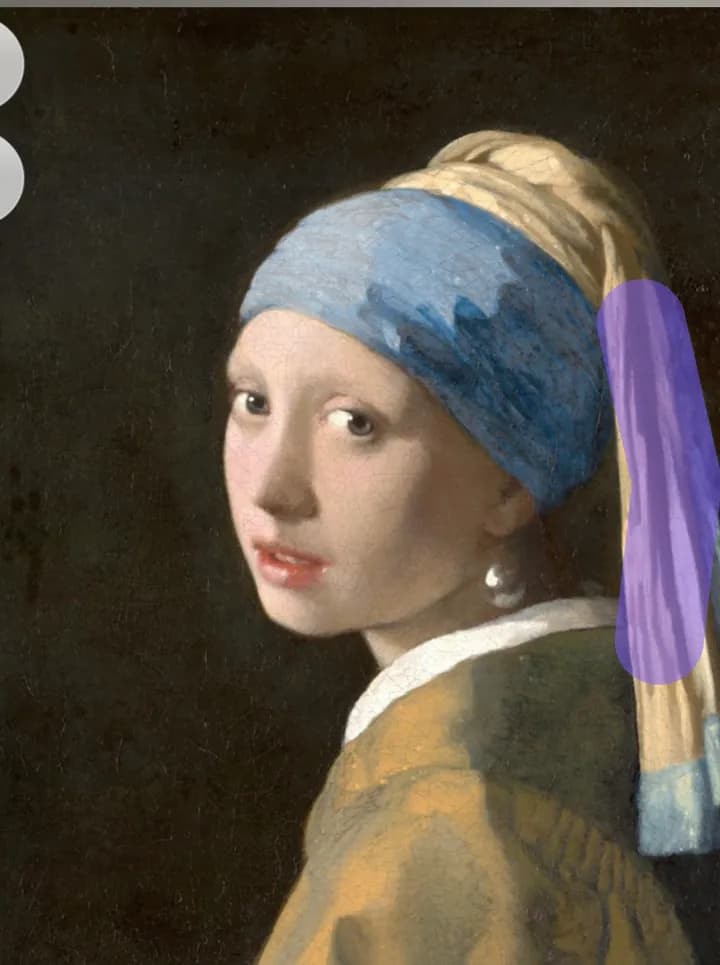
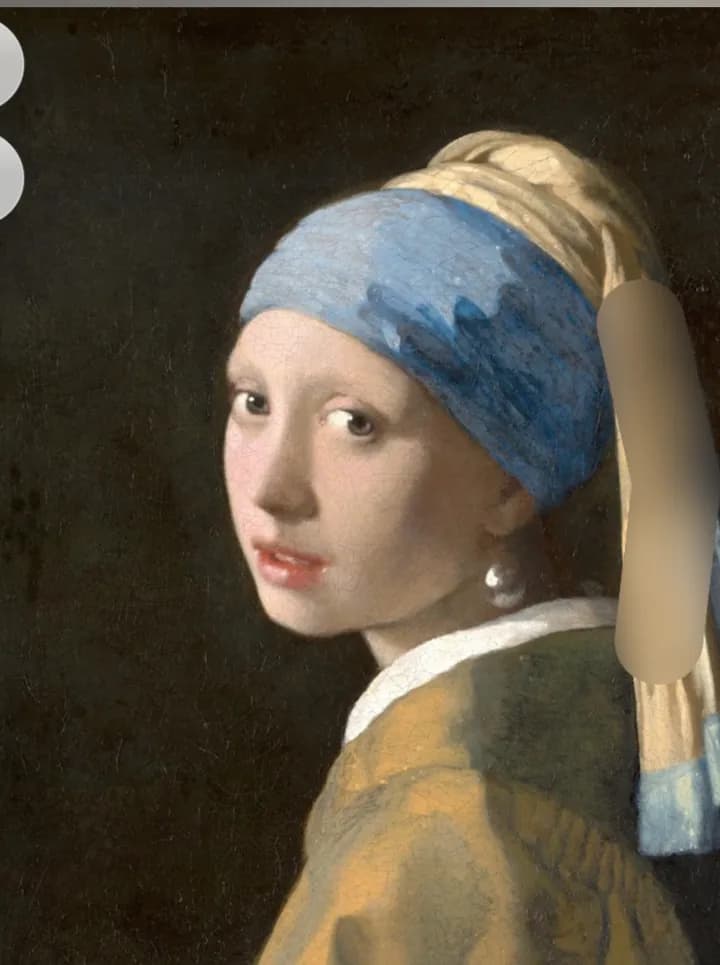
How it works
Brush over it, draw a box, or tap a detected person or text.
Small areas are filled on your phone. For larger ones, choose AI fill.
Use Heal or Clone for the last details.
On iPhone (Open brAIn): AI tools › Eraser
Why it looks right
Spots, blemishes and small objects disappear without leaving the phone.
People and text are found for you; tap to select them.
AI fill rebuilds larger areas. Standard costs 2 credits, HD costs 5.
Precise tools for skin, walls and repeating textures.
Questions
Only when you choose AI fill and have agreed to cloud processing. Brush, box and detection run on the device.
2 credits for standard quality and 5 credits for HD. Failed jobs are refunded automatically.
The small brush is free. Box selection and automatic detection are part of lamdep Pro.
Yes. The remover includes red-eye fixing and automatic dust-spot cleanup.
Extend a photo beyond its edges
Clean cutouts, new colors or blur
Fix scratches, dust and faded color
Free to download for iPhone and Android. Pro tools and AI credits are optional.