

Selfies
Natural-looking selfies, live and after the shot
Use case · Profile pictures
Your profile picture is seen small, in a circle, next to your name. That calls for a clear face, good light and a calm background. Here is how to get there with lamdep.
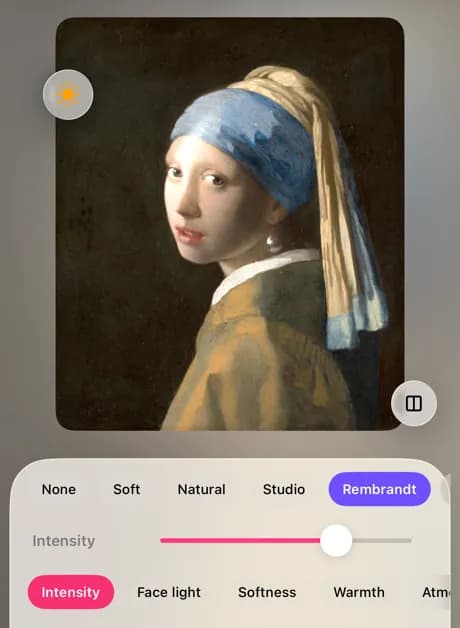
Step by step
Even out skin tone and clear blemishes; keep it natural, since people will meet the real you.
More about Skin retouchRe-light gives a flat photo shape: Soft or Natural for everyday, Studio or Rembrandt for a professional look.
More about Re-lightRemove the background and put a plain color behind you, or blur it so your face stands out.
More about Remove backgroundFor gaming or casual profiles, an AI avatar pack gives you ten illustrated styles from your selfies.
More about AI avatarsGood to know
Profile photos are shown small and often in a circle. Keep your face in the middle with a little space above your head.
Eye contact and a relaxed smile read as friendly at any size.
The same picture on every network makes you easy to recognize.
Use a photo from the last year or two, especially on work profiles.
Questions
Square. Most networks show it at a few hundred pixels or less, so a square crop of a sharp photo is enough; lamdep's crop has a 1:1 ratio.
A plain, light color or a softly blurred real background. Pick a color that contrasts with your hair and clothes.
Some work networks expect a real photo. Use a natural, lightly retouched portrait there, and the avatars on casual profiles.
Natural-looking selfies, live and after the shot
Restore, sharpen and share old family photos
Collages, text and captioned videos for your feed
lamdep is free on Google Play; on iPhone, use Open brAIn with the same account.