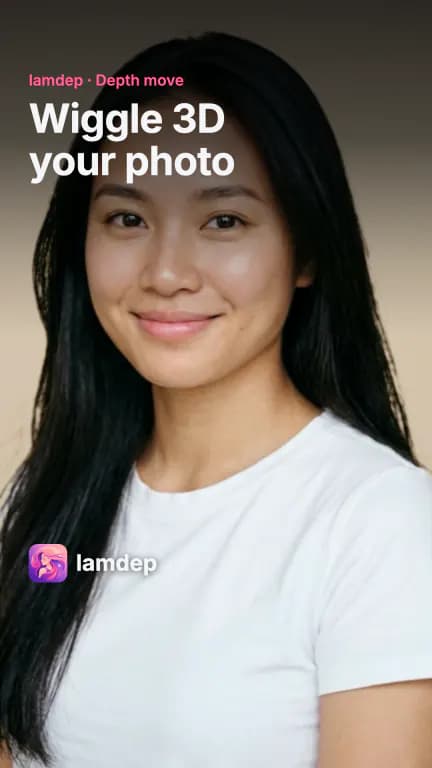
Photo to video
Make a still photo move as a video, GIF or loop
Depth move
Pick a photo and lamdep splits it on your phone into the subject and a filled-in background, then glides a virtual camera past them. You get a 3 to 8 second 3D clip or a looping wiggle 3D photo.


Where to find it: Android: lamdep on Google PlayiPhone: lamdep on the App Store
How it works
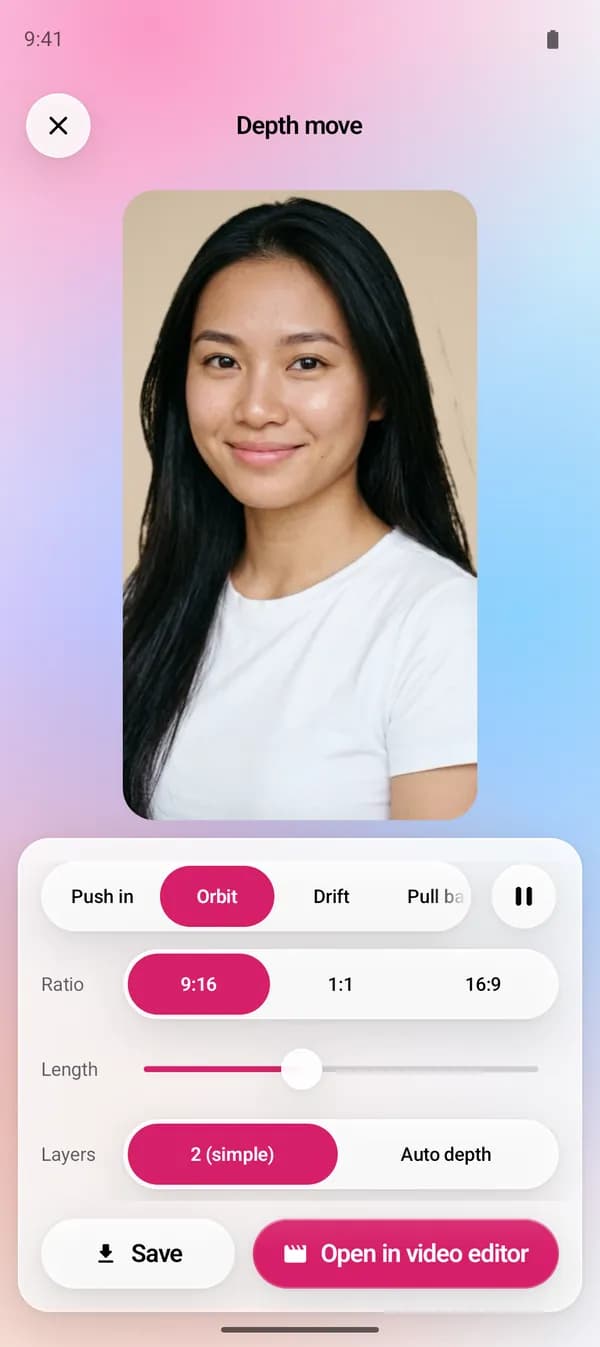
On Home, tap All tools › Edit › Depth move and pick a photo. During “Separating layers…” the app cuts out the subject and fills in the background.
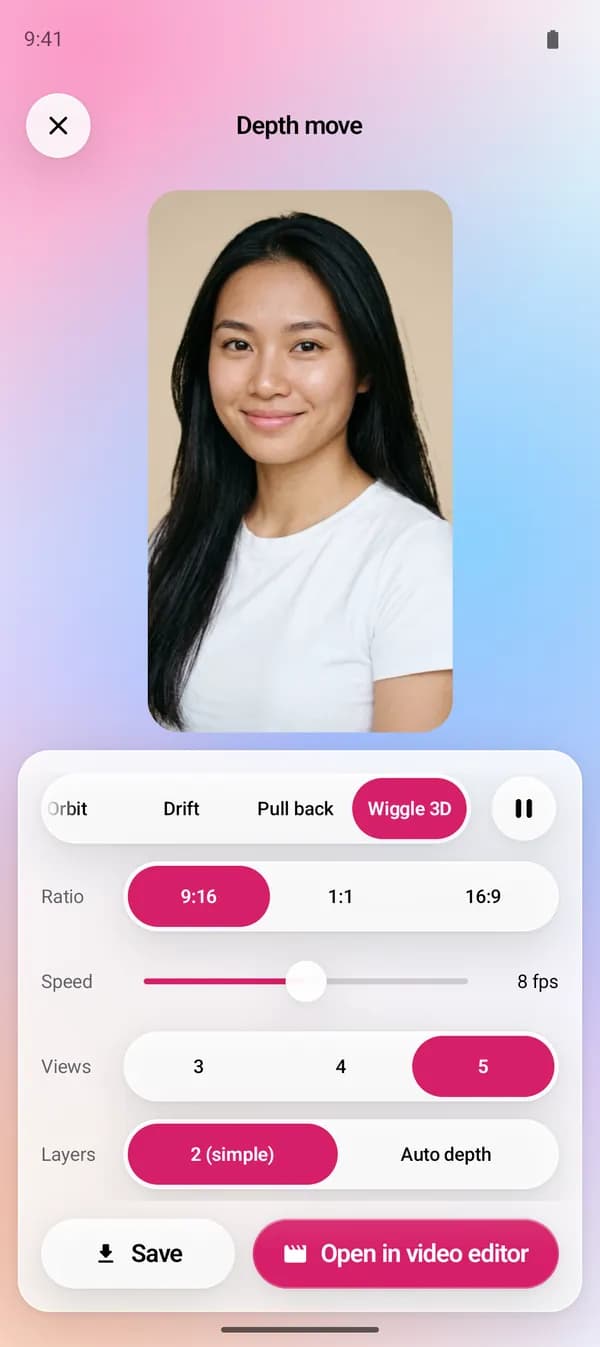
Tap Push in, Orbit, Drift, Pull back or Wiggle 3D. Set Length (3–8 s), or Speed and Views for a wiggle, pick a Ratio, and try Layers › Auto depth.
Tap Save and choose 1080p or 4K (a wiggle offers Live Photo, GIF or Video), or tap Open in video editor to add music, text and more clips.
What you get
Each layer is only scaled and shifted, never bent or redrawn, so a face looks exactly as it did in the photo.
Near layers move more than far ones, the way the world looks through a moving camera.
No layer border ever enters the frame, and the background behind the subject is filled in.
Choose 9:16, 1:1 or 16:9; the crop stays centred on your subject.
A 3D zoom, or parallax photo, fakes a camera move through a still image. lamdep finds the subject with on-device segmentation, lifts it onto its own layer with a soft edge and fills the hole it leaves in the background. A virtual camera then moves past the layers: the near one shifts more than the far one, and your eye reads that difference as depth.
No generative model invents new content and no layer is warped: each one is a flat card that is only scaled and moved, so faces, hands and text keep their exact shape. If the app can’t find a clear subject, for example in a wide landscape, it tells you and moves the whole photo gently instead.
Push in travels slowly towards the subject, the classic 3D zoom. Orbit keeps the subject still and swings the background around behind it. Drift slides sideways across the scene in a slight arc. Pull back starts close and eases out, a good last shot. Every move starts and ends softly.
Length runs from 3 to 8 seconds in half-second steps. Ratio offers 9:16 for Stories, Reels and Shorts, 1:1 for feed posts and 16:9 for YouTube; it starts on the one closest to your photo, and the frame is cropped around the subject. Save writes an MP4 video at 30 fps in 1080p or 4K to your gallery.
Under Layers, 2 (simple) uses the subject and the background. Auto depth builds 3 or 4 rigid layers from how far each part of the scene is from the camera, so a path, a person and the hills behind them each move at their own speed. A note shows how many layers it found.
Auto depth first reads the photo’s own depth data, which some phones save inside portrait photos. Without it, the app can use an on-device depth model that is downloaded once, only when you tap Download depth model. If the download isn’t available on your phone yet, the app says so and keeps 2 layers.
Wiggle 3D turns the same layers into a wigglegram: 3 to 5 viewpoints rocking left and right in a 3-second loop. Speed sets how fast the views change, from 6 to 10 fps, and Views sets how many there are: 3, 4 or 5. It starts at 3 views and 8 fps.
Save offers three formats. Live Photo saves, on Android, a Motion Photo: a still with the 3-second movie inside. GIF is 720 px on the long side and loops forever. Video is a 3-second clip in 1080p or 4K. Open in video editor drops the loop into a new project.
Use cases
Push in on a photo of you in front of a view to open a trip video.
Orbit a portrait in 9:16: the background turns behind the person while their face stays exactly as photographed.
Drift past a product shot for a store’s Story, then add the price as text in the video editor.
Save a friend’s photo as a 5-view wiggle GIF that loops in any chat.
Guide
Start with a photo where the subject stands clear of the background: a person, a pet or an object with some space behind it. A subject that fills almost the whole frame, or a tiny one, gives the app nothing to separate. Plain or softly blurred backgrounds hide the filled-in area best.
Match the move to the picture: Push in for a centred subject, Orbit for portraits, Drift for wide scenes and products, Pull back for a calm ending. Keep clips to 3 to 5 seconds for social; a slow move reads as depth, a fast one as a zoom.
For wigglegrams, 3 views at 8 fps gives the classic stuttering look; 5 views at 10 fps feels smoother. Use GIF where video doesn’t play on its own and Video for Reels or TikTok.
Depth move separates the person from the background, so a virtual camera can move around them. This Short picks one portrait, chooses Wiggle 3D, the classic 3D photo look, and saves it as a video. The same sheet also saves a Live Photo or a GIF, and Orbit, Drift and Pull back are one tap away.
Privacy
Finding the subject, filling in the background, building the layers and rendering the clip all happen on your phone. Your photo is not uploaded, and no credits are used.
The only download is the optional depth model for Auto depth, and only after you tap Download depth model; it is checked, stored in the app’s private storage and never downloaded again. Clips, GIFs and Motion Photos are saved to your gallery, and Open in video editor keeps the clip as a project inside the app.
Questions
lamdep is free to download, and Depth move has no Pro lock: you can save clips, GIFs and Motion Photos without lamdep Pro.
No. Every layer is only scaled and moved as a whole, so faces and bodies keep the exact shape they have in the photo.
The app shows a note and moves the whole photo gently as one layer, so you still get a usable clip.
No. Any photo works with 2 layers; photos with saved depth data let Auto depth build 3 or 4 layers at once.
Yes. Tap Open in video editor: the clip becomes a new project, ready for music, text and other clips.
No. Make it move adds effects, overlays and a flat camera drift; Depth move separates layers for real parallax.
Make a still photo move as a video, GIF or loop
Portrait-mode blur and bokeh for any photo
Multi-track timeline, effects and video beauty
Free to download for iPhone and Android. Pro tools and AI credits are optional.