Selfies
Natural-looking selfies, live and after the shot
Use case · Pets
Pets don't pose, the flash makes their eyes glow, and the living room is always in the shot. This routine fixes all three on your phone, so the photo you post is the one you wanted to take.


Step by step
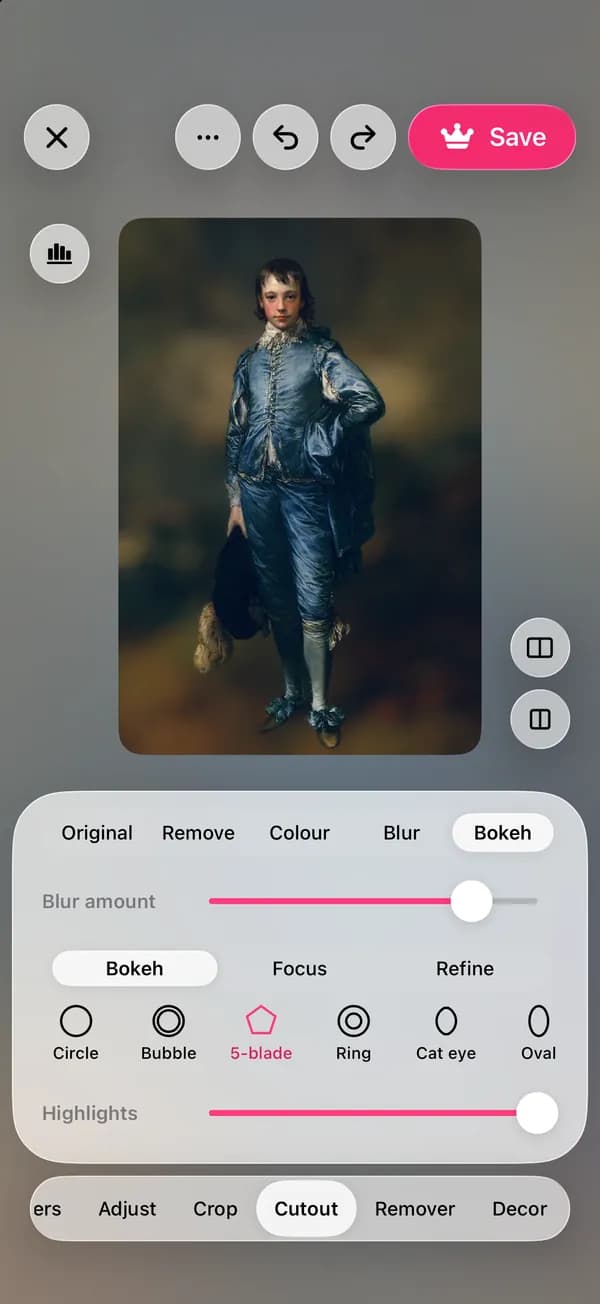
Blur background works on any clear subject, pets included. Use a quick blur, or Bokeh to tap the point you want sharp and turn lamps behind into round highlights. Fix fur edges with the Focus and Blur brushes. It is a Pro tool with a few free saves each week.
More about Blur backgroundA flash bounces off the back of an animal's eyes and makes them glow. The red-eye fix in the remover has a pet eye mode: tap each glowing eye to fix it, and add a small catch-light if the eye looks flat.
More about Object removerIndoor photos often come out yellow or grey. Pick a look and adjust its strength, or use curves and the colour mixer; a mask for the background lets you darken it so the fur stands out.
More about Color & filtersAdd your pet's name, a date or a joke as text, a sticker or a doodle, and a frame for the format you post in. Text stays editable until you save.
More about Text & stickersGood to know
Shoot from your pet's eye height, not from above. It looks more like a portrait and less like a snapshot.
Hold a treat just above the lens to get eye contact, and take a burst: one of the frames will be sharp.
Near a window, the eyes stay natural and the fur keeps its texture. Use the pet eye fix when the flash was unavoidable.
Moving a toy or a bag before you shoot beats blurring it afterwards.
Guide
The best pet photos are taken when your pet is calm: after a walk, after a meal, during a nap in the sun. Have the phone ready with the camera open, and wait for the moment rather than trying to stage it.
Focus on the eyes. With a phone, tap the eye nearest to you on the screen before you shoot. If the animal moves, use burst mode and pick the sharpest frame later. A sharp eye forgives a soft paw; the opposite is rarely true.
In the edit, change the background before the colour. Blurring or darkening what's behind makes the pet stand out, and the colour you choose afterwards will be judged on the fur, not on the sofa. Keep the fur's own colour: a black dog should stay black, not grey.
Text is optional, but a name or a date turns a nice photo into a keepsake. Put it where it covers nothing important, in a colour picked from the photo, and save a copy without text for printing.
Moving pets need light more than anything. Indoors, switch on more lamps or move to the brightest room before you reach for the flash: more light means sharper fur and fewer glowing eyes. If a photo is a little soft, resist sharpening it hard, because strong sharpening makes fur look like wire. A slightly soft photo of a great moment is still better than a sharp photo of nothing happening.
Older pets, and pets who are no longer with you, deserve the same care. If you work from an old print, photograph it flat in daylight without glare; the remover's dust cleanup clears small spots, and a gentle, warm look brings the colour back without making it look new. Keep the original next to the edit, and write the name and the year on the back of the print or in the file name, so the story stays with the picture.
Questions
Yes. It works on any clear subject, such as a pet, and Bokeh can focus on a point you tap. Use the brushes for fur the mask missed.
Open the remover's red-eye fix, switch to pet eye and tap each eye. On iPhone the same fix is in the Eraser.
Remove background is tuned for people and works on many clear subjects; use the keep and erase brush to fix fur. It is part of lamdep Pro, with a few free saves.
Colour, looks, text and stickers are free. Blur background is a Pro tool with a few free saves each week.
No. Blur, the pet eye fix, colour and text all run on your phone.
Natural-looking selfies, live and after the shot
A clean, well-lit photo for every profile
Restore, sharpen and share old family photos
Collages, text and captioned videos for your feed
Better light and focus, still clearly you
Clean up, match the colour, cut a highlight video
Fewer tourists, frames that fit, a short reel
Make-up, a gentle retouch, titles and a collage
Script, record with live beauty, edit, caption
lamdep is free on Google Play and the App Store, with one account for both.